

Website
Your agency's website, free with your plan: choose where its listings come from, add your areas and testimonials, ask for changes in plain words, and publish when you are happy.
Every agency gets its own website, built from your brand and showing your listings. Your website is free. Asking the AI to change it uses your AI usage, like everything else the AI does. Admins open it from Website in the icon bar.
The sidebar has six rows, in this order:
| Row | What it is for |
|---|---|
| Overview | Your site at a glance: the preview, the live address, your design, and the latest changes. |
| Listings | Where your site's listings come from. |
| Journal | Your posts. |
| Content | Your areas, testimonials, press, offices, story, sell page and questions. |
| Domains | Your own web address. |
| Settings | Languages, your team on the site, your design, and starting over. |
Build your website
- Open Website. If your agency name and logo are not set yet, setup asks for them first, in the same place (Your name and logo). They come from your Agency profile, and the website is built from them.
- Pick a design to start from.
- Press Build my website with and the design's name. It takes about a minute.
Pick a design
A design is the look of your website. Each one is shown on real homes, with a line on who it suits and a See it live link that opens a working demo in a new tab. Pick one and see its pages beside the list: the home page, search, a home, the team and an area.
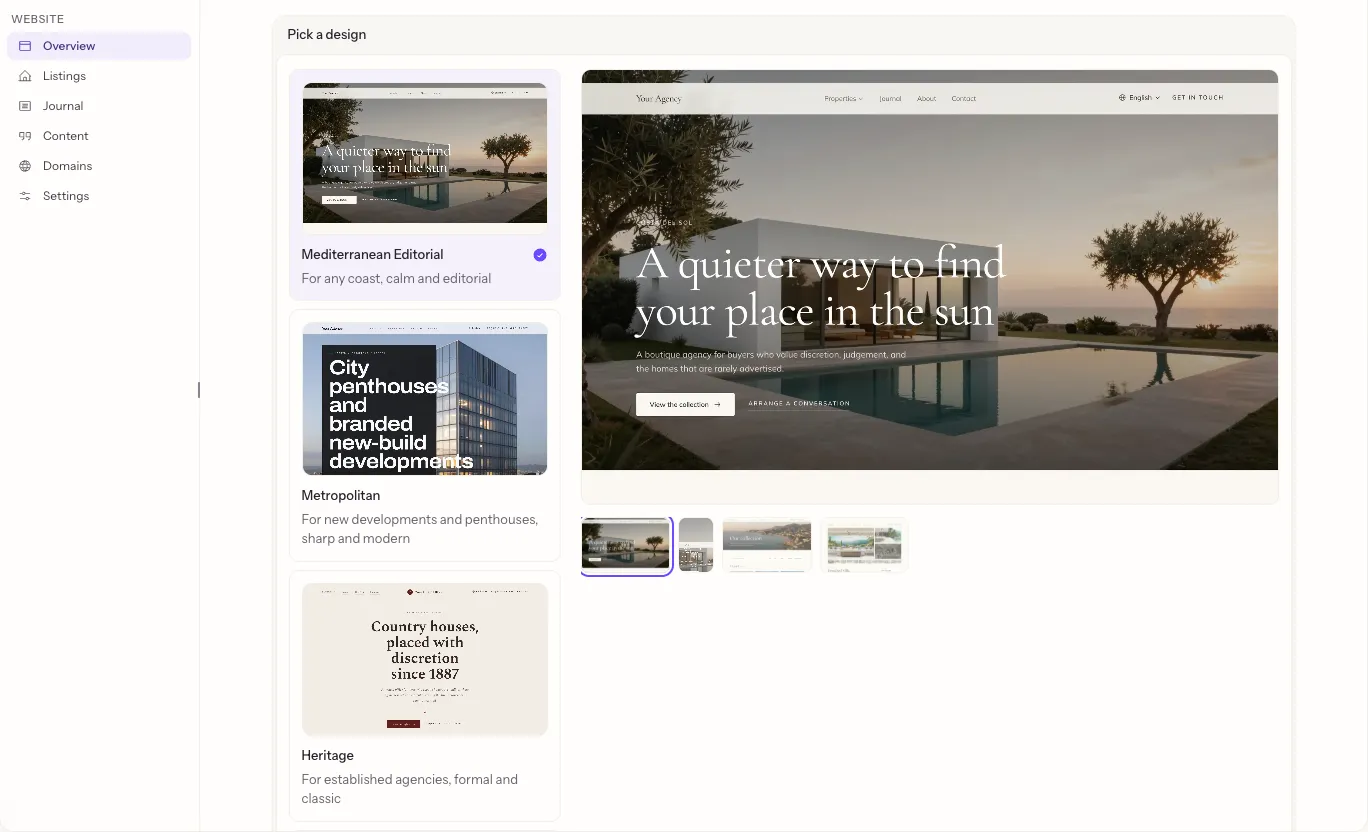
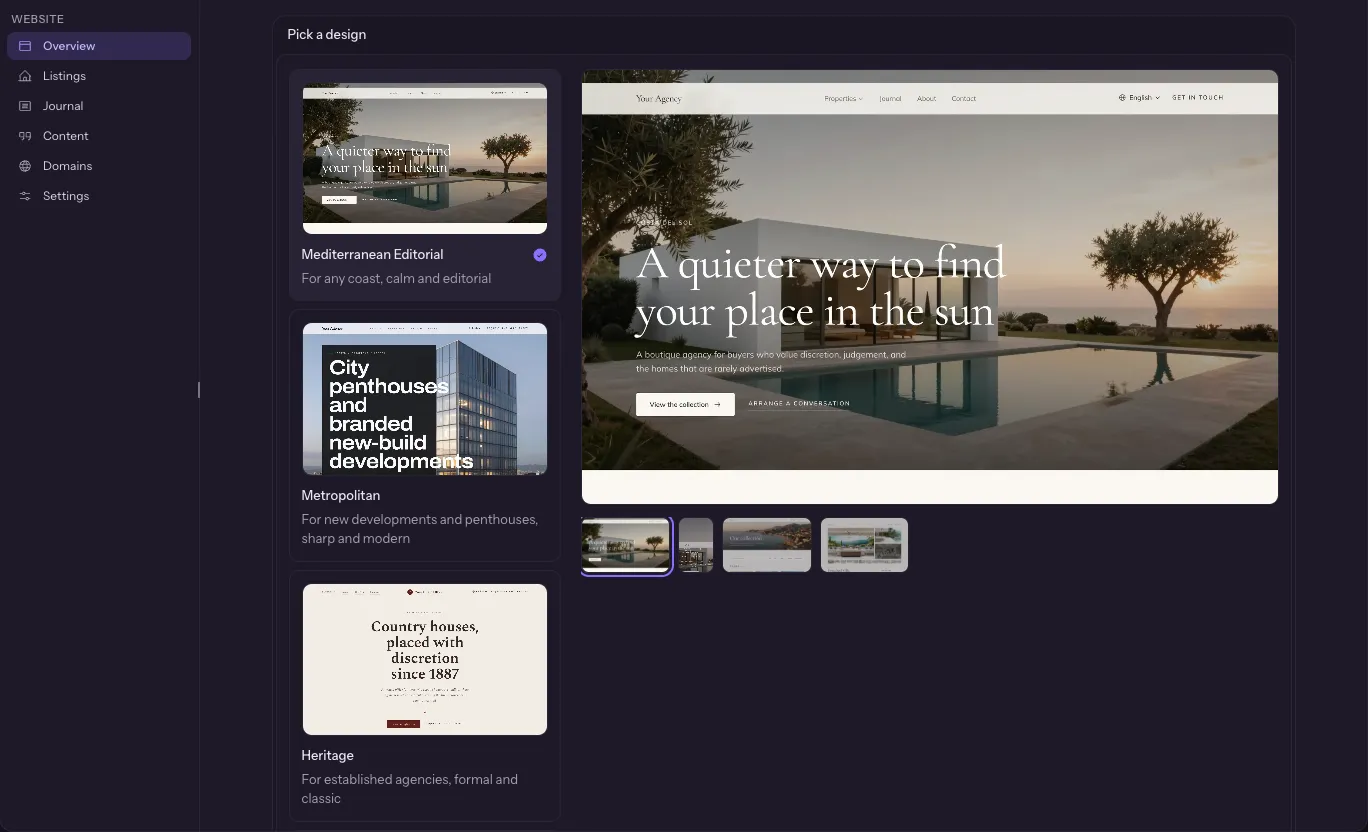
A design marked Coming soon can be looked at but not picked yet. Your homes, words, team and photos work in every design. See Website designs for all of them with pictures, and Update, move or start over for changing your design later.
Ask for a change
On Overview, the preview fills the page and Ask Fondaro opens beside it on a large screen.
- Describe what you want in plain words, for example "make the homepage headline say we speak Dutch and Swedish" or "add a page about buying in Estepona".
- Ask Fondaro may ask a question first. When the change is clear, it shows a card with a summary.
- Press Build preview. The work runs in the background; you can close the dock or leave the page.
- Check the result in the preview.
Each change you approve is billed as AI usage. Nothing is built until you press Build preview.
Tip: Attach photos to your message with the paperclip and say what each is for, such as "use the first photo at the top of the homepage".
You can ask for new wording, layout and style, and new pages. Your areas, testimonials, press and offices have their own place, see Content, and you add languages in Settings.
Recent changes, on Overview, lists the latest request and whether it is working, done, or did not finish. If it did not finish, press Try again.
Publish your changes
Your website has two copies: the live site visitors see, and your draft. Nothing you change touches the live site until you press Publish.
The strip under the preview always says where you stand:
| It says | What it means |
|---|---|
| Live | Your draft and your live site match. |
| Unpublished changes | Your draft has changes, listed by area. Publish puts them live. |
| Publishing your site. | The live version is being built. It takes a minute or two. |
| Your website needs fixing. | Your draft did not build. Your website is still safe and online. Press Fix my website. |
| Design update in progress. | An update to your design is half applied. Continue it when you are ready. |
Ask Fondaro never publishes for you. Publish is always your press.
When your website needs fixing
If the new version did not build, your live site stays online. The screen says so and offers one button, Fix my website. Ask Fondaro repairs the draft and the page returns to normal when it is done. If the fix does not work, press the button again.
When a change does not finish
A change that stops always says what happened and gives you one way forward. Your live site never changes while a change is stuck.
| What you see | What to press |
|---|---|
| This one needs more time. Ask Fondaro got part of the way. | Continue. It picks up where it stopped, with the work already done. |
| The new version isn't working. The checks found a problem. | Fix with Ask Fondaro. It fixes the draft using what the checks found. |
| We couldn't finish this change, or The preview didn't start. A hiccup on our side. | Try again. Nothing was lost. |
| Your draft moved while Ask Fondaro was working. | Ask again, or Throw away the draft to start from your live site. |
| We couldn't accept this change, or This change is too big for one go. | Contact us and we will help. |
If Fix finds nothing to fix, it tells you so, and your website is fine.
When another website is building
Builds run one at a time on busy days. If yours has to wait, the progress screen says Waiting for another website to finish and how many are ahead of you. You do not need to do anything. It starts by itself, and the screen moves on when it does.
Throw away the draft
Do not like the draft? When it has unpublished changes, press Throw away the draft and confirm. Your draft becomes a copy of your live site again; the live site is not affected. A design update in progress is thrown away too, and you can start it again any time.
Take a design update
When Fondaro improves your design, Overview shows "Version {n} of your design is ready" with an Update button. Starting it never publishes anything.
- Review what is new, then press Update site.
- If you have unpublished changes, choose whether to keep them and update, publish them first, or start fresh from your live site.
- Where your own edits and the update touched the same places, choose what happens: let Ask Fondaro combine them, keep your versions, or use the update's.
- Preview the result and press Publish update.
If an update cannot be finished, Start over and update makes your draft a fresh copy of your live site and applies the update again.
An update keeps your design. To change the design itself, see Move to a new design.
Where your listings come from
Open Listings to choose what your website shows. Your site can show homes from up to five sources, in the order you set. Switching is instant, with no rebuild and nothing to publish.
On your website lists the sources in use. For each one:
- Drag it by its grip to change the order. On a phone, use Move up and Move down in its menu.
- Open its Settings to choose what it shows (below).
- Remove takes it off your site. You can press Undo at once. The last source cannot be removed.
Add a source offers your own sources (your listings in Fondaro, and your Resales Online, Inmobalia or Zoddak feed when it is connected) and property portals. A source that is not connected has a Connect button that opens its setup.
What each source's settings hold:
| Source | You choose |
|---|---|
| Your listings in Fondaro | Your listings, or Your listings and other agencies' so your site also shows homes other agencies on Fondaro share |
| A feed such as Resales Online | Your agency's feed, or Your own listings |
| A property portal such as Idealista | The country and up to a few areas. These are homes on the market in those areas, not your own listings |
A source that needs attention says why: reconnect it, choose a country and areas, or it cannot be shown. Your website skips it until it is fixed, and keeps showing the others.
Other agencies' homes follow the same rules as in Network: what an agency chose not to share is not shown, and a price the agency hides is not shown.
Add your areas, testimonials, press and offices
Open Content. Use Show to pick a list, and each item opens in a side panel:
- Areas: a name, a web address, a cover photo, more photos, the place on the map, the homes shown and a short introduction.
- Testimonials: what a client said, who said it, where from, the date, a rating, whether they were a buyer or a seller, the home it is about and which agent. Testimonials are your clients' words: Fondaro never writes them for you. Type or paste exactly what they said.
- Press: the outlet, its logo, the headline, a link and the date.
- Offices: the name, address, phone, email, a photo, the team that works there, the languages they speak, WhatsApp, and opening times by day in the office's own time zone.
- Story: your agency's story, what you stand for, the year you were founded and a note from the founder with a signature. There is one story for your website.
- Sell page: the page for owners who want to sell: why sell with you, how it works in steps, and the questions owners ask.
- Questions: one question and answer at a time, each about buying, selling, renting or anything else.
- Photos: the photos your website uses in its main spots. They are listed here to see; you cannot change them from this list.
Drag items, or use Move up and Move down, to set the order your site shows them in. Save draft keeps an item off your website. Publish puts it on your website, and it appears in about a minute. Unpublish takes it off again.
Write for your journal
Open Journal. Your posts are the page, with Live and Draft tabs. Search them, or filter by category and author. Press New post to write one.
The editor has undo and redo, two heading sizes, bold, italic, strikethrough, inline code, bullet and numbered lists, a quote and a link. Select text and press Link (or Ctrl K, ⌘ K on a Mac) to add an address; click a link to see where it goes, change it or remove it. Paste or drop a photo to add it to the post. Typing #, -, 1. or > and a space starts a heading, list or quote.
Details holds the web address, summary, cover photo and its description, category, author, the title and description search engines show, and the date. Press Manage next to the category to add, rename, reorder or delete categories.
Publish saves the post first and then puts it on your site; the arrow beside it saves a draft. On a live post, Publish changes updates it, and the ⋮ menu holds Duplicate, Unpublish and delete. Changes reach your site in about a minute.
Use your own domain
- Open Domains and type your domain, such as
example.com. - Press Connect domain.
- Add the DNS records shown at your domain registrar, then press Verify. It can take up to 48 hours.
Your site always stays live on its Fondaro address too. Remove domain goes back to that address alone. Brochure links you sent on your domain stop working when you remove it, see Brochures on your website.
Settings
-
Languages: tick the languages your site should ship and press Add / update languages. English is always on. Ask Fondaro opens with the request filled in, and adding languages is billed as AI usage like any change.
-
Team: the members shown on your site's About, Contact and property pages. Manage them in Agents.
-
Design: your design's name and a picture of it, with three ways to change it, each with its own button:
- Update when a new version of your design is ready.
- Move to a new design when newer designs are ready. It builds your site in the new design as a draft, and your live site changes only when you press Publish.
- Start over, below.
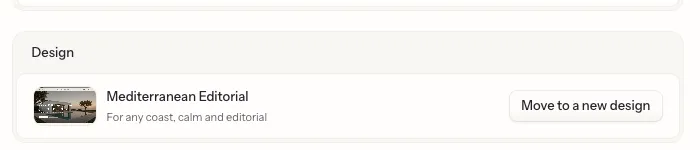
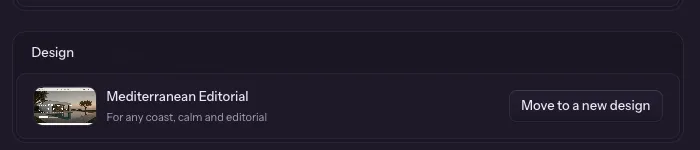
Update, move or start over explains the three.
-
Start over: the last resort. It rebuilds your site from a design you choose. It permanently deletes your current site and its live version, and keeps your journal posts and content. You confirm by typing
REBUILD. Your site is also removed automatically if your plan ends.